How to Play Cozy Lucky Scoop Order
A calm step-by-step tutorial for Scoop → Pack → Ship, first orders, and the habits that keep beta progress cozy.
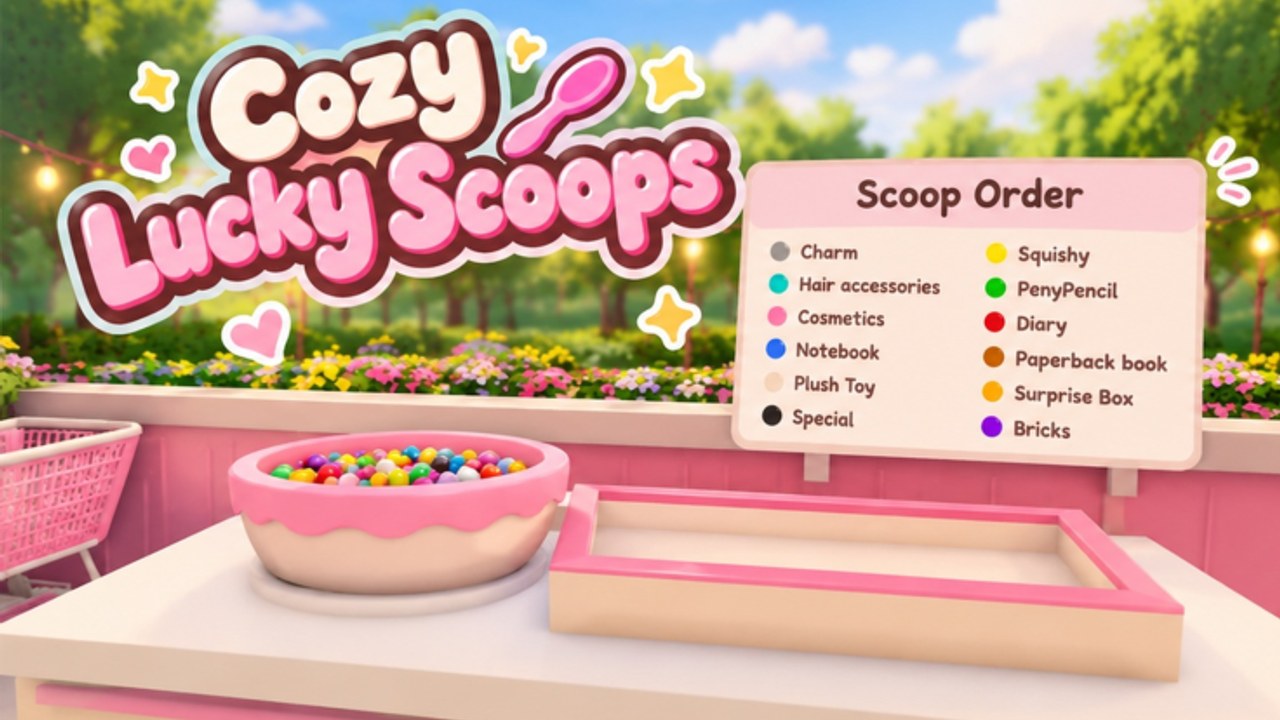
Cozy Lucky Scoop Order is a free Roblox cozy simulation from Sakura Game Studios. It has been in Beta since October 19, 2026. If you searched “how to play Cozy Lucky Scoop Order,” this page is the straight answer: follow the in-game tutorial when it appears, learn the Scoop → Pack → Ship loop, clear your first tickets cleanly, then layer dailies, mini gifts, capacity upgrades, and badge goals on top.
This guide sits between Getting Started (full first-session checklist) and deeper topics like packing orders, controls, badges, and daily rewards. Use it as the playbook you reopen whenever a friend asks how the game works.
Before you start
- Open the official place: Cozy Lucky Scoop Order on Roblox.
- Confirm you are on the Sakura Game Studios experience — not Twinkle Bloom’s different title Lucky Scoop Order.
- Join on PC or mobile. Both work; the loop is click/tap interact, not a custom fighter keybind list.
- Let the shop fully load before you mash stations.
Servers hold about twelve players. You can play solo or with up to three friends. Busy lobbies feel lively; they are not a reason to skip reading the ticket.
Use the tutorial button / onboarding prompts
On a fresh join, Cozy Lucky Scoop Order often surfaces tutorial or tip UI that points you toward scooping, packing, and shipping. Treat those prompts as truth for your client build:
- Click or tap the highlighted tutorial / help control if one is visible.
- Read each step once without rushing the camera.
- Complete the prompted actions at the real stations instead of memorizing a wiki list alone.
- If the overlay disappears and you feel lost, rejoin once or open this page beside the game.
Beta UIs move. When a button relocates after a cosmetics patch, trust the live prompt over an old screenshot. For camera and interact habits, keep Controls bookmarked.
The core loop: Scoop → Pack → Ship
Everything productive in this game returns to three verbs:
1. Scoop
Read the order ticket first. Confirm product types and counts. Walk to the correct scoop source, face it, and interact until you hold what the ticket needs. Do not over-scoop when your carry limit is tiny — extra trips beat messy hands.
2. Pack
Carry scoops to the packing station. Match the ticket carefully. Confirm counts before you commit the box. Sloppy packs create redos that feel fast and finish late. Full packing craft lives on Packing Orders.
3. Ship
Move the finished pack to shipping and send it. Only shipped orders feed income practice and the cumulative badge track. A perfect box sitting on a counter is not progress yet.
Repeat. That is how to play Cozy Lucky Scoop Order at every skill level.
First orders: a calm walkthrough
Use this sequence for your opening tickets:
- Orient. Note scoop sources, pack table, ship point, early shelves, and garden edges.
- Open the first order. Read it fully. Say the counts out loud if it helps.
- Scoop only what you need for one clean trip when carry is low.
- Pack once, carefully. Align items to the ticket; do not “almost” a box.
- Ship immediately after a correct pack.
- Reset. Clear station clutter mentally, then take the next ticket.
- Claim dailies if you have not already — see Daily Rewards.
- Optional mini gift lap after a ship, not mid-pack.
Your first successful ship unlocks the 1 order badge milestone. Aim for a clean handful toward 10 before you spiral into decoration.
What “good” looks like after ten minutes
- You can explain Scoop-Pack-Ship without looking at chat.
- You stop scooping before reading.
- You know whether carry capacity or packing mistakes are your bottleneck.
- You claimed daily rewards at least once.
- You know the next badge number you want (usually 10 or 25).
If any of those fail, slow down. Cozy sims punish panic more than patience.
Solo versus friends
Solo is fully viable. Batch your own roles: scoop completely → pack completely → ship → quick restock → repeat.
Co-op (up to three friends) shines with soft roles:
- Scooper gathers exact ticket needs.
- Packer owns box quality (see Packing Orders).
- Runner / shipper clears finished packs and keeps stations free.
Agree on the ticket once. Do not triple-scoop the same flavor in silence. Etiquette notes live on the Players Hub.
Progress systems you should know on day one
- Badges track cumulative orders shipped at 1, 10, 25, 50, 100, 250, 500, 750, and 1000. Details: Badges.
- Daily rewards are free login value — claim every session: Daily Rewards.
- Mini gifts are world pickups in shop and garden — hunt briefly between orders: Mini Gifts.
- Shop and garden customization is part of the fantasy; early spends should favor Basket / Cart capacity and shelves: Shop and Garden and Gamepasses.
- Codes: there are no working promo codes as of mid-November 2026. Watch Codes.
Capacity before cosmetics
After you understand the loop, the fastest “how to play better” upgrade is carrying more per trip. Community tooling often mentions Auto Buy paths for Basket, Cart, and shelves because those systems exist in the economy. Check live Robux or coin prices in-game — this wiki will not invent store numbers. Ranked spending context expands on the Tier List and Gamepasses pages.
Common beginner mistakes
- Ignoring the tutorial overlay and guessing stations.
- Scooping blind, then rebuilding the pack twice.
- Decorating the garden before you can finish a ticket without empty trips.
- Abandoning a half-packed order to chase a mini gift.
- Confusing this game with Lucky Scoop Order by Twinkle Bloom and following the wrong guides.
- Pasting random executors from chat — if you research helpers, read Scripts safety notes first.
Practice drill (one short session)
- Join and finish any tutorial prompts.
- Claim dailies.
- Clear three orders with deliberate packing only — no decoration mid-block.
- Note whether you needed extra scoop trips (capacity problem) or redos (packing problem).
- Skim Order Efficiency if trips feel slow, or Packing Orders if boxes keep failing.
- End on a shipped order so the session closes on badge progress.
What to read next
- Getting Started — fuller day-one checklist.
- Packing Orders — stop paying the redo tax.
- Controls — PC and mobile interact habits.
- Daily Rewards — lock the login ritual.
- Badges — plan the long shipping ladder.
- Return to the Guides Hub when new walkthroughs appear.
How to play Cozy Lucky Scoop Order is simple on purpose: read the ticket, scoop what it asks, pack it once, ship it, and let calm repetition carry you through Beta. Master that loop before you chase every cosmetic, and the shop stays cozy while your badges still move.
Frequently Asked Questions
Quick answers about scooping, packing, shipping, and Beta progress.
How do you play Cozy Lucky Scoop Order?
Read each order, scoop the requested products, pack the box carefully, then ship it. Repeat the Scoop-Pack-Ship loop while claiming dailies and unlocking shipping badges.
Is there a tutorial button?
New joins often show tutorial or tip prompts that guide you through stations. Follow the on-screen help when it appears, and rejoin if the overlay vanishes before you understand the loop.
What should I do after my first shipped order?
Claim daily rewards, optionally hunt mini gifts, then keep shipping toward badge 10. Spend early value on capacity before heavy decoration.
Can I play with friends?
Yes. Play solo or with up to three friends on servers that hold about twelve players. Assign scoop, pack, and ship roles to avoid collisions.
Where do I learn packing and controls in more depth?
Use Packing Orders for box quality and Controls for PC/mobile interact flow.
Are there promo codes for new players?
No working promo codes as of mid-November 2026. Bookmark Codes for future drops.